Chefzi POS
A free restaurant POS, built into Chefzi
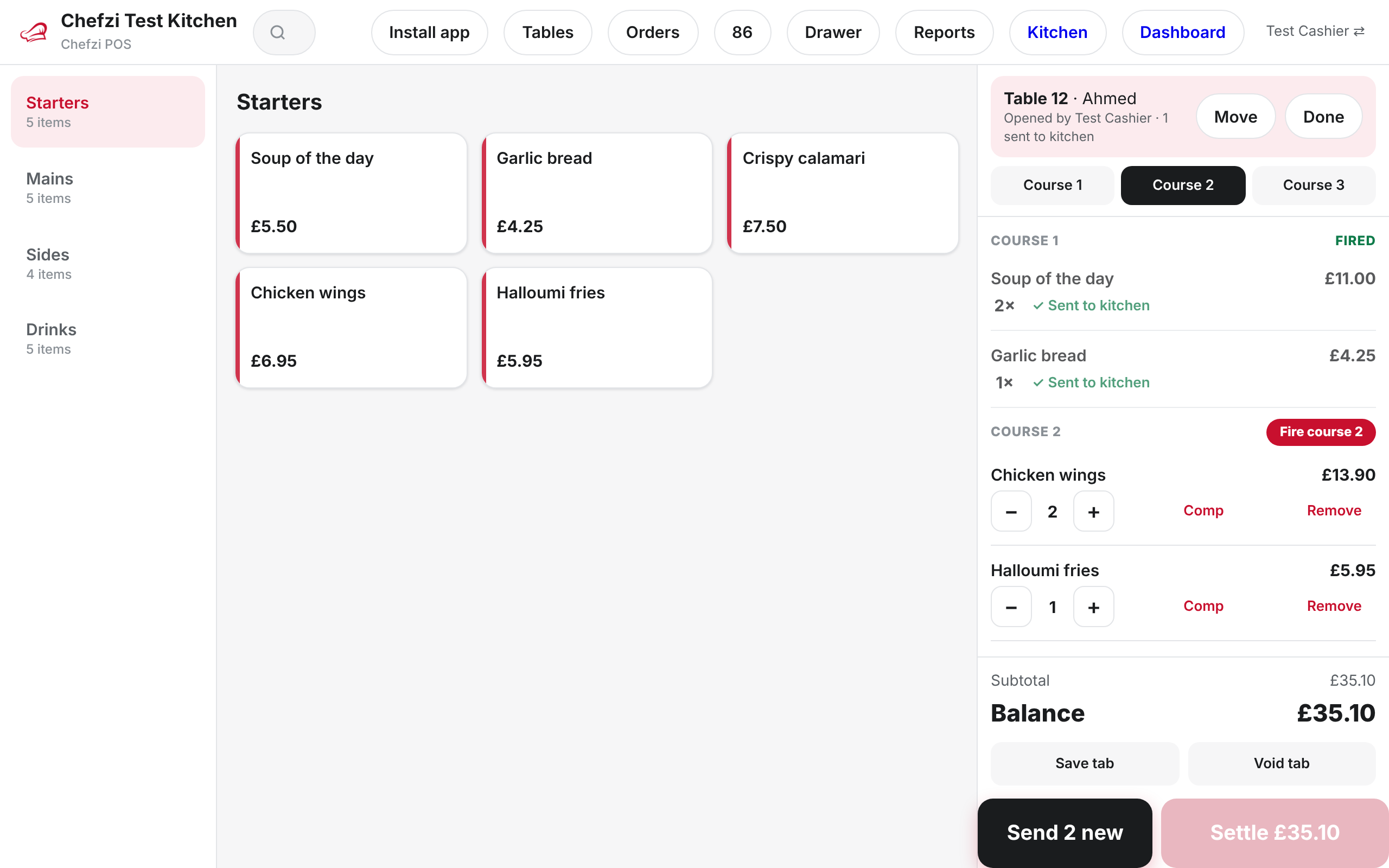
Chefzi POS runs in the browser on the tablet, laptop or phone you already have. It uses your Chefzi menu, so there is no setup, and till orders go into the same order system as your online orders. No service fee on till orders.
Restaurant POS with online ordering in one system
Opens where you work
Install it as an app from app.chefzi.co.uk/pos, or open “POS (till)” in the dashboard.
Same orders, same kitchen
Till orders reach the Orders app, the kitchen screen and your printers, alongside online orders.
Keeps going offline
If the connection drops, orders queue on the device and sync later.
Touch till
Ring up an order in a few taps.
The till uses the menu you already have in Chefzi, so there is nothing to set up.
- Categories, search and an item grid
- Sizes and add-ons from your online menu
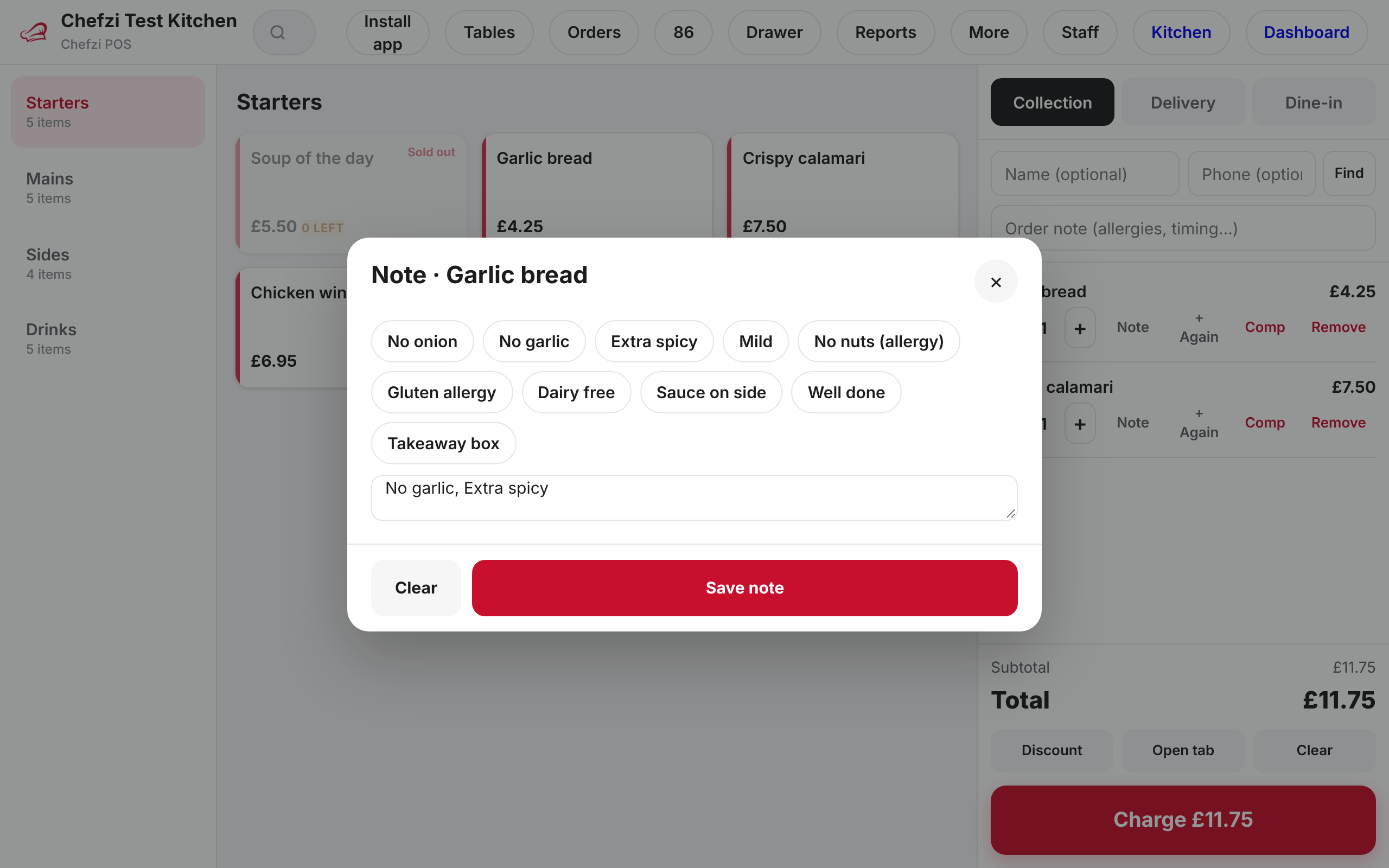
- Quick notes such as “no onions”
- One-tap repeat of an item
Order types and tables
Takeaway EPOS for collection, delivery and dine-in
Pick the order type before you charge.
- Collection
- Delivery with an address and a delivery fee
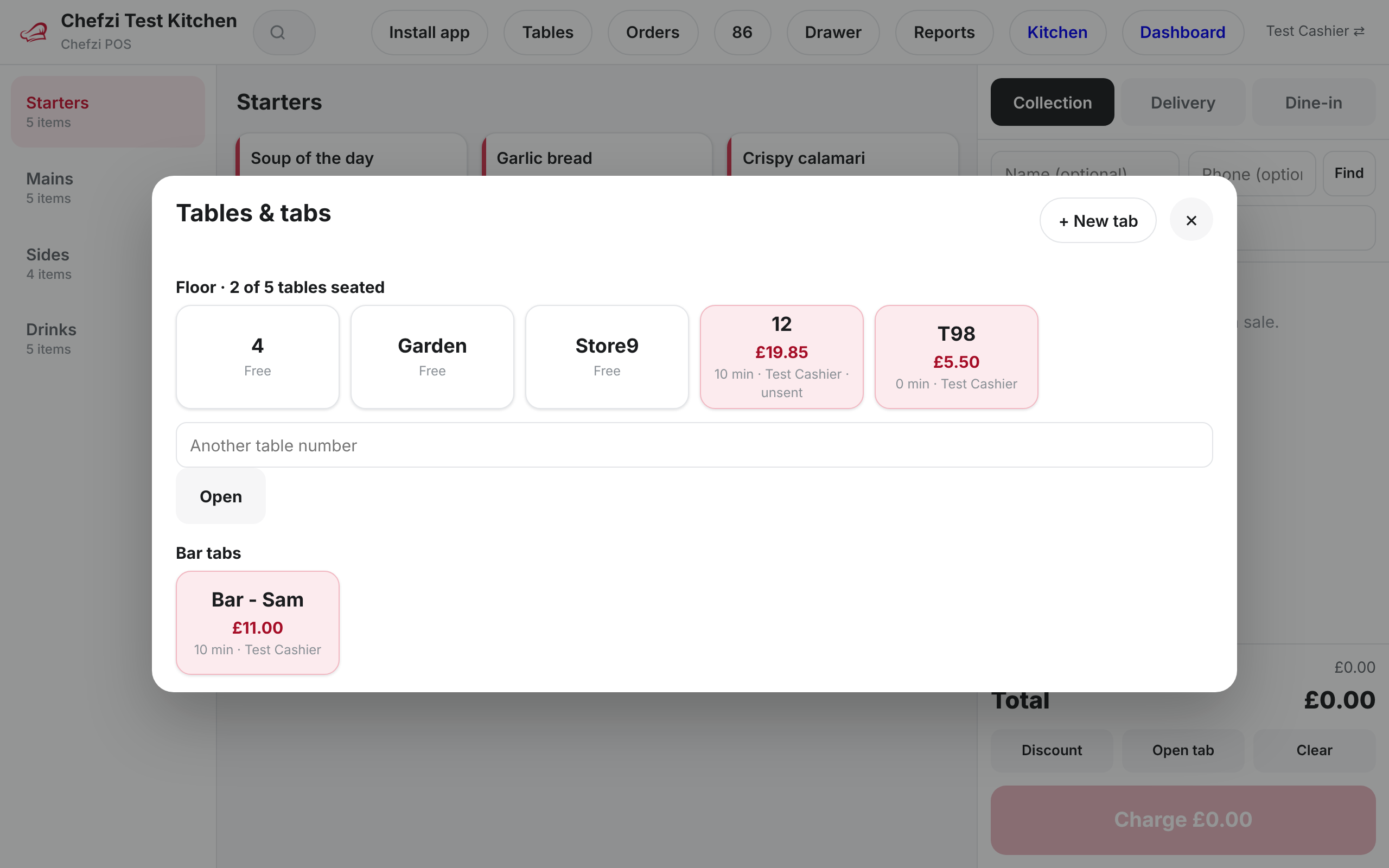
- Dine-in with a table number
- Table map with open tabs, and courses sent to the kitchen separately
Payments
Take payment the way the customer wants.
Card payments are taken on your own external card terminal and recorded on the till.
- Cash with change worked out
- Card on an external terminal
- Pay later
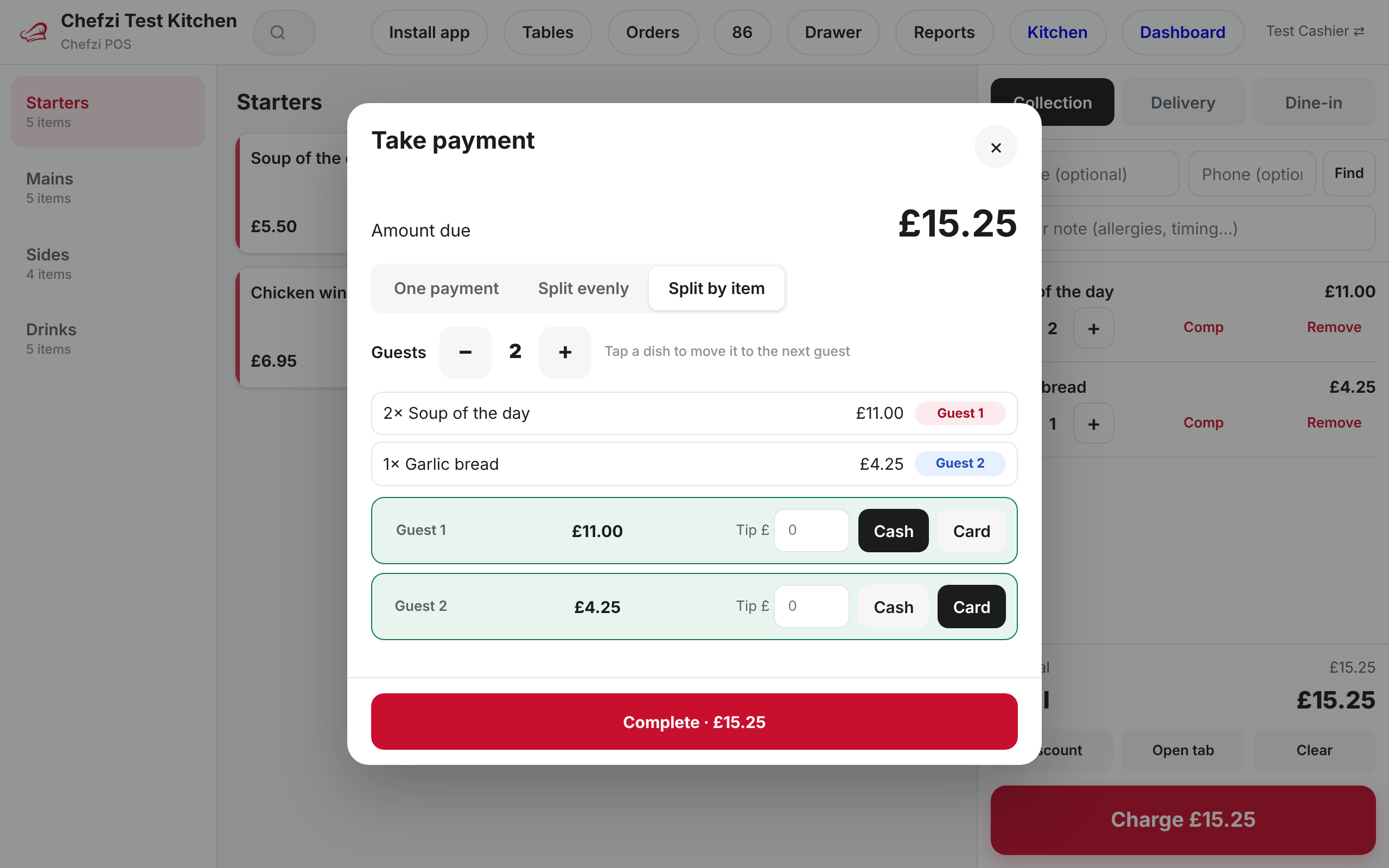
- Split by amount or by item
- More than one payment method on one bill
- Tips
Discounts, comps, voids and refunds
Manager PIN for the sensitive buttons.
Discounts can be a percentage or a fixed amount in pounds. Comps, voids and refunds need a manager PIN.
- Discounts as % or £
- Comps
- Voids and refunds behind a manager PIN
Staff
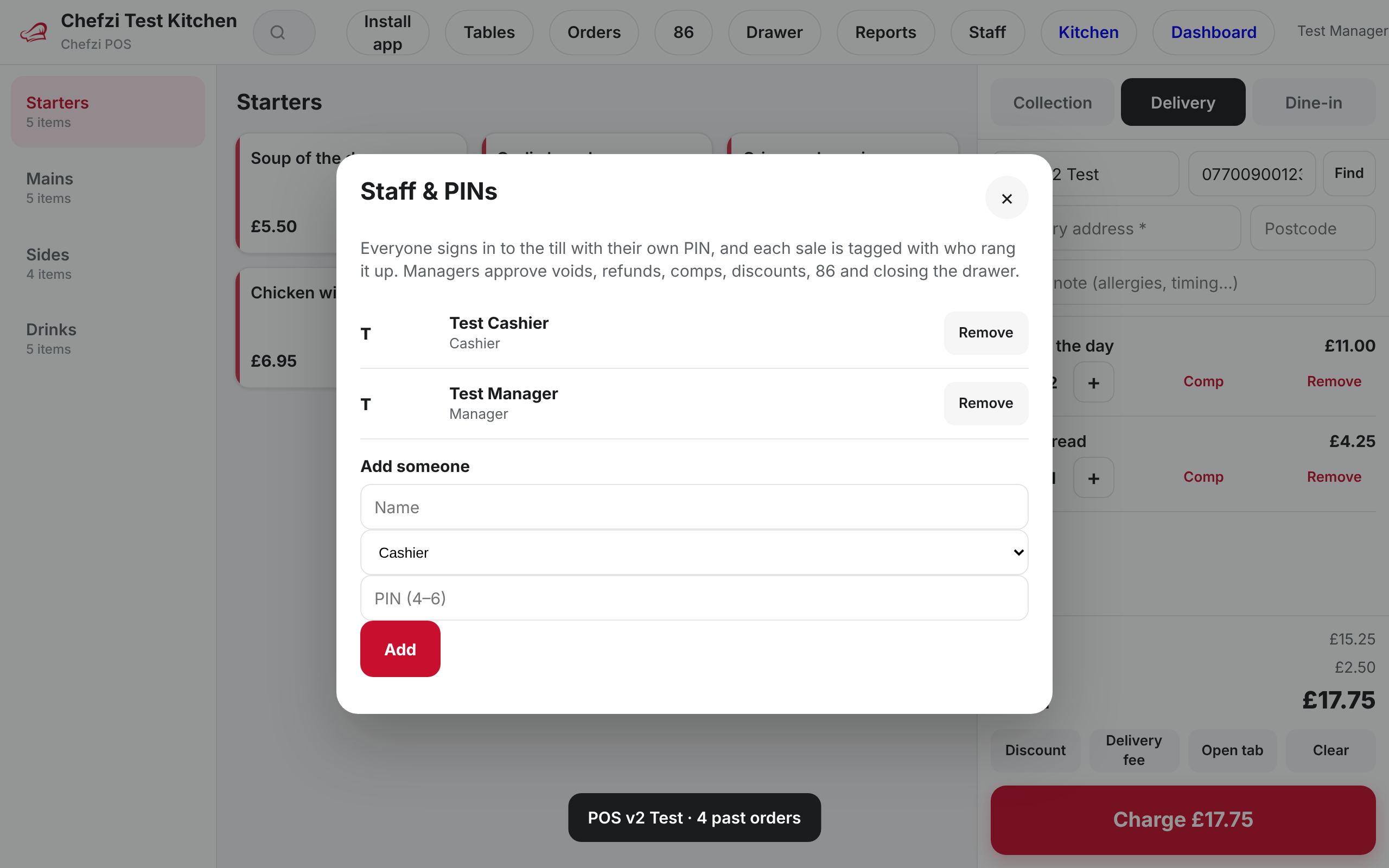
Everyone signs in with their own PIN.
Give each person a PIN and a role.
- Manager and cashier roles
- Lock screen
- Quick switch between staff
Cash drawer
Count the drawer at the end of the day.
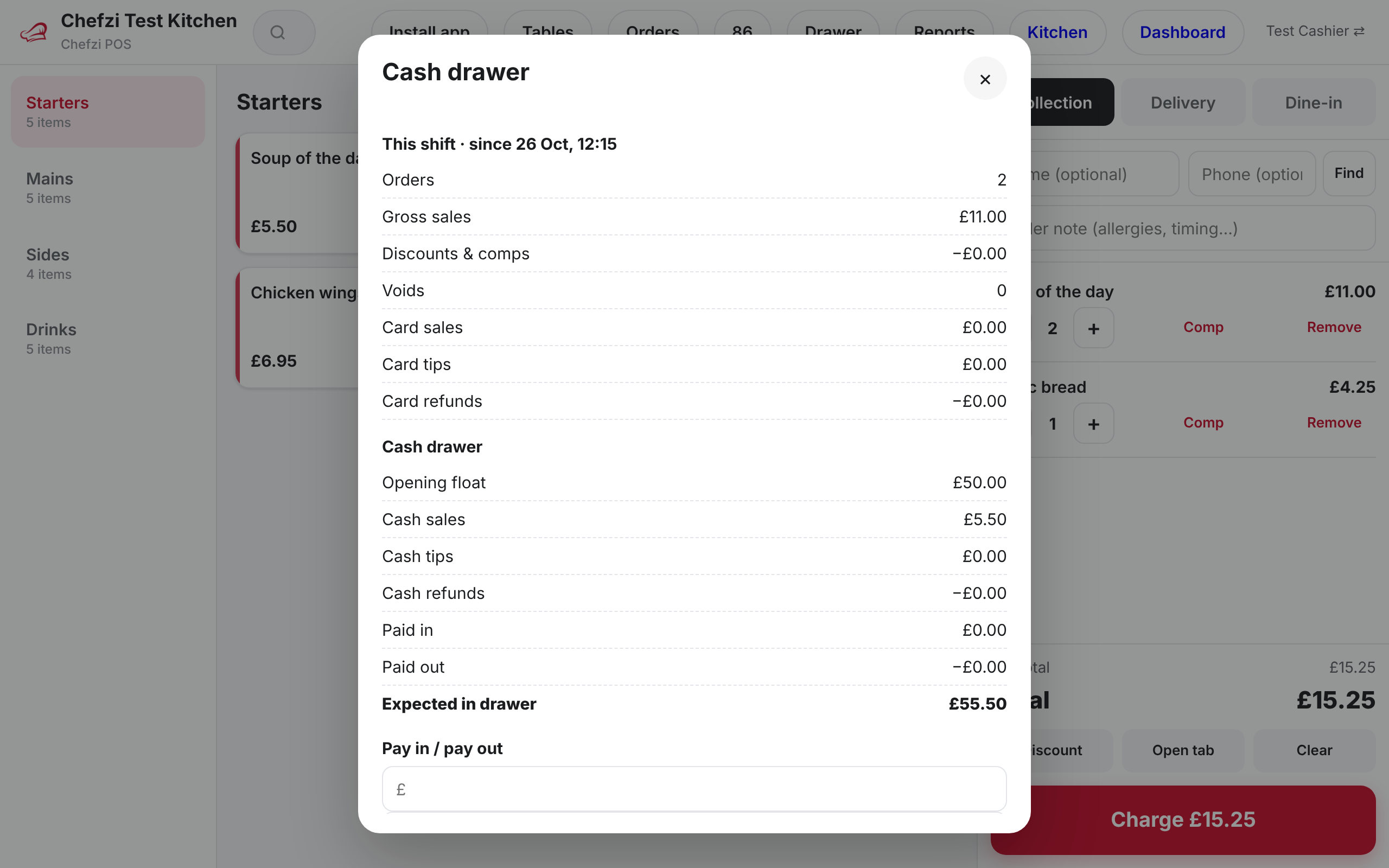
Track the cash in the drawer through the shift.
- Opening float
- Pay outs
- End-of-day Z report with over or short
Reports
See today’s sales as they happen.
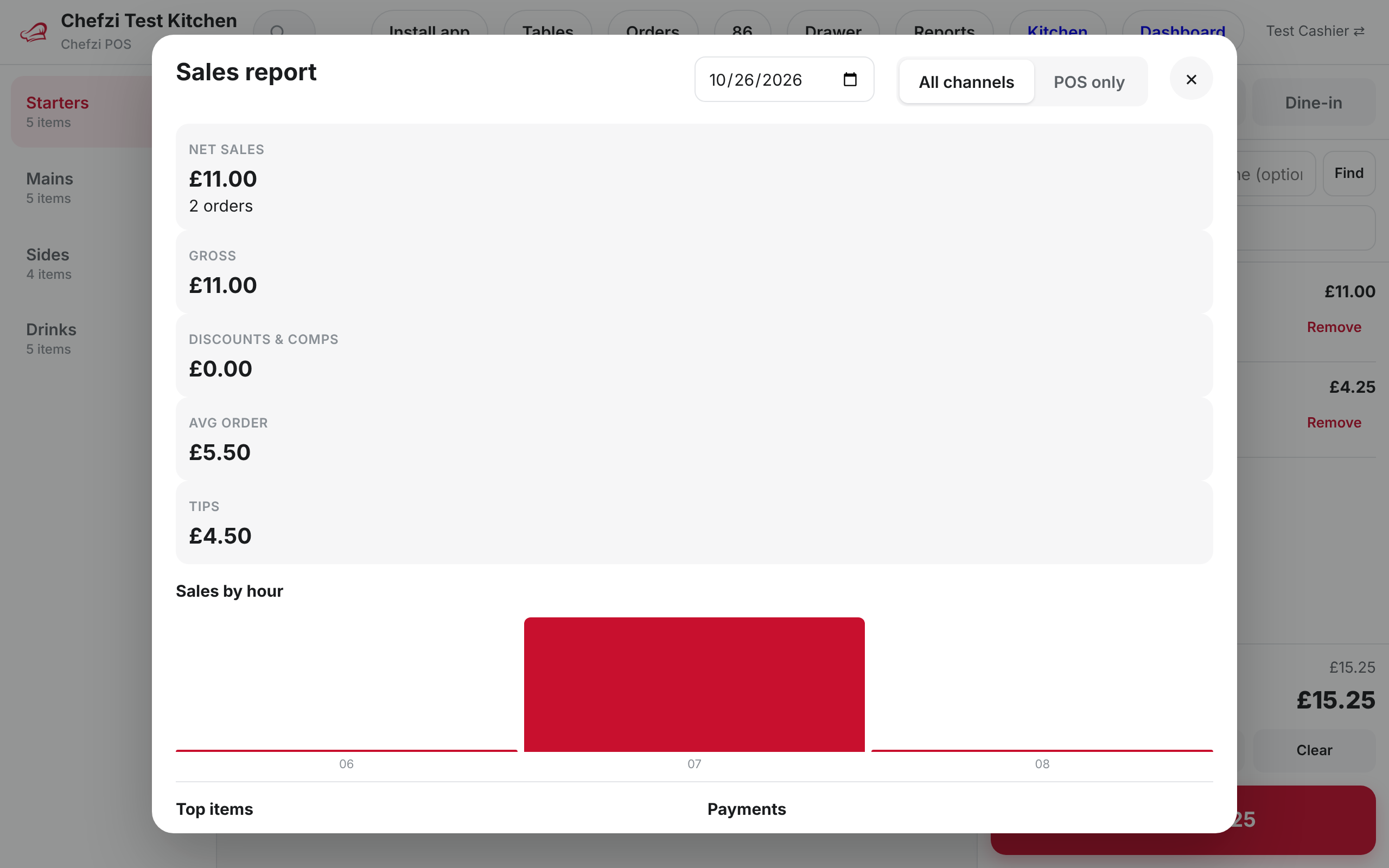
Sales reports and a Today panel sit inside the till.
- Sales by hour, by item and by payment type
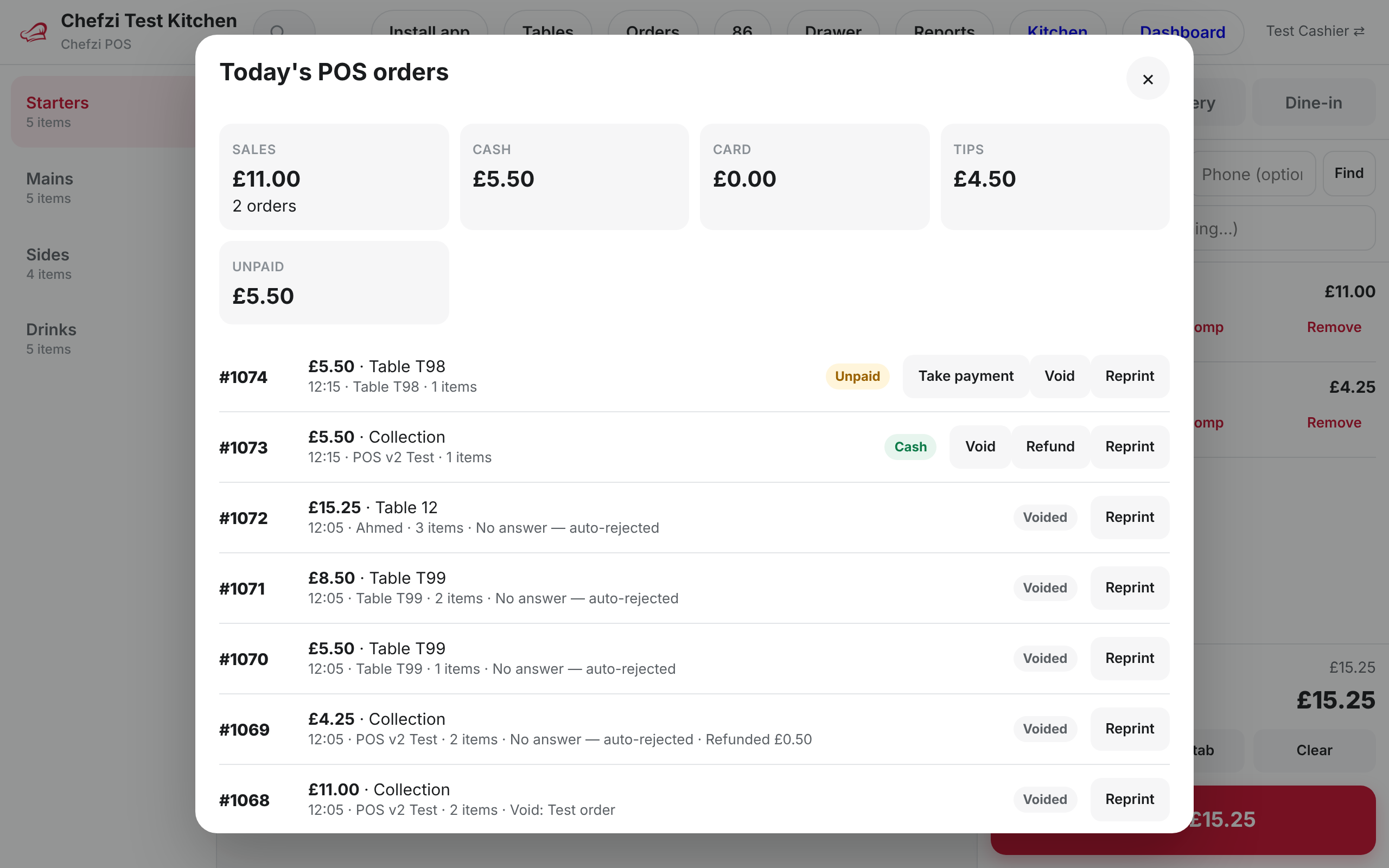
- Today panel with reprint
Stock and 86
Sold out on the till is sold out online.
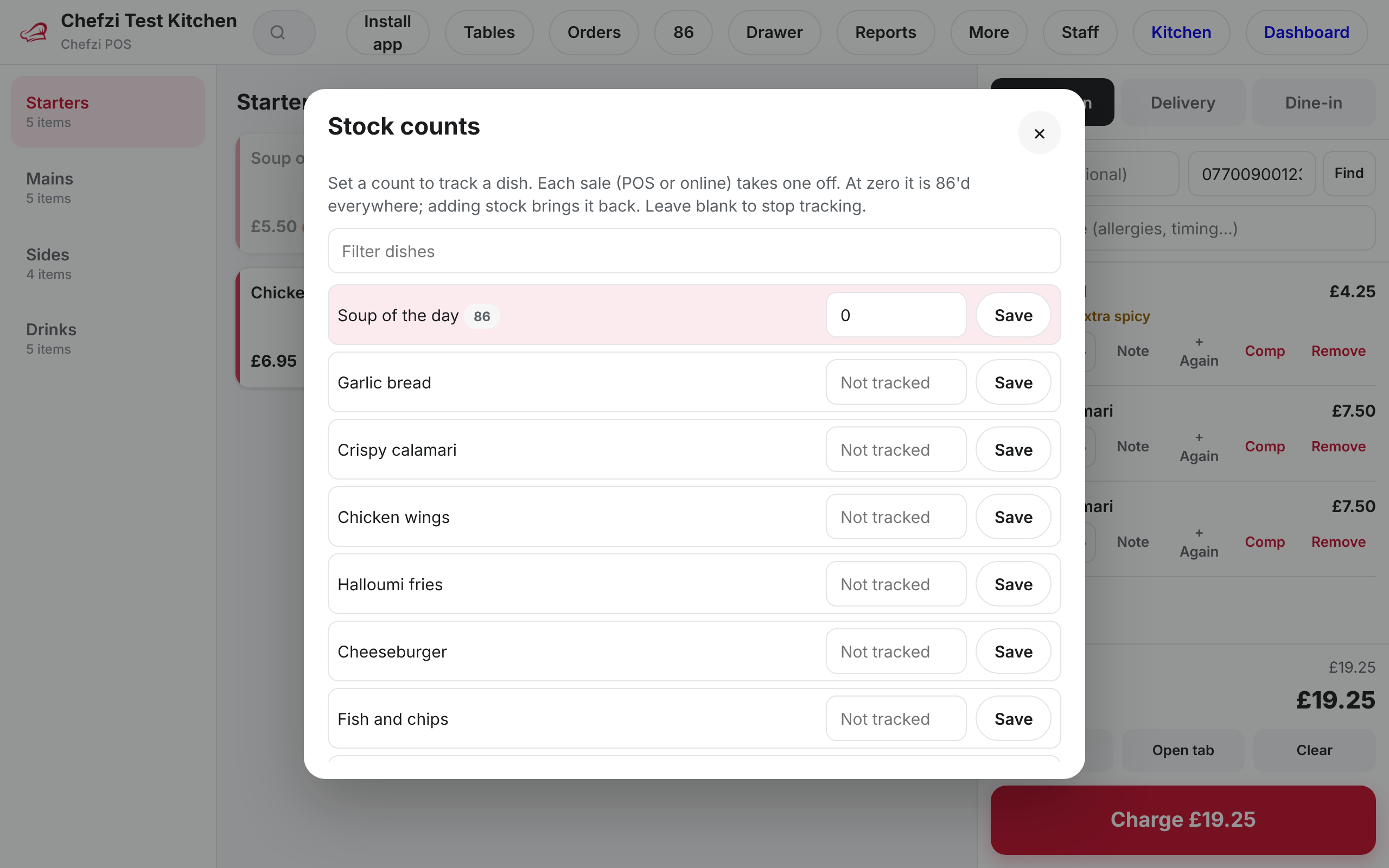
Set a stock count on an item. When it reaches zero it is marked sold out (86), and the change syncs instantly to your online menu.
- Stock counts per item
- Auto sold-out (86) at zero
- Synced instantly to the online menu
Loyalty
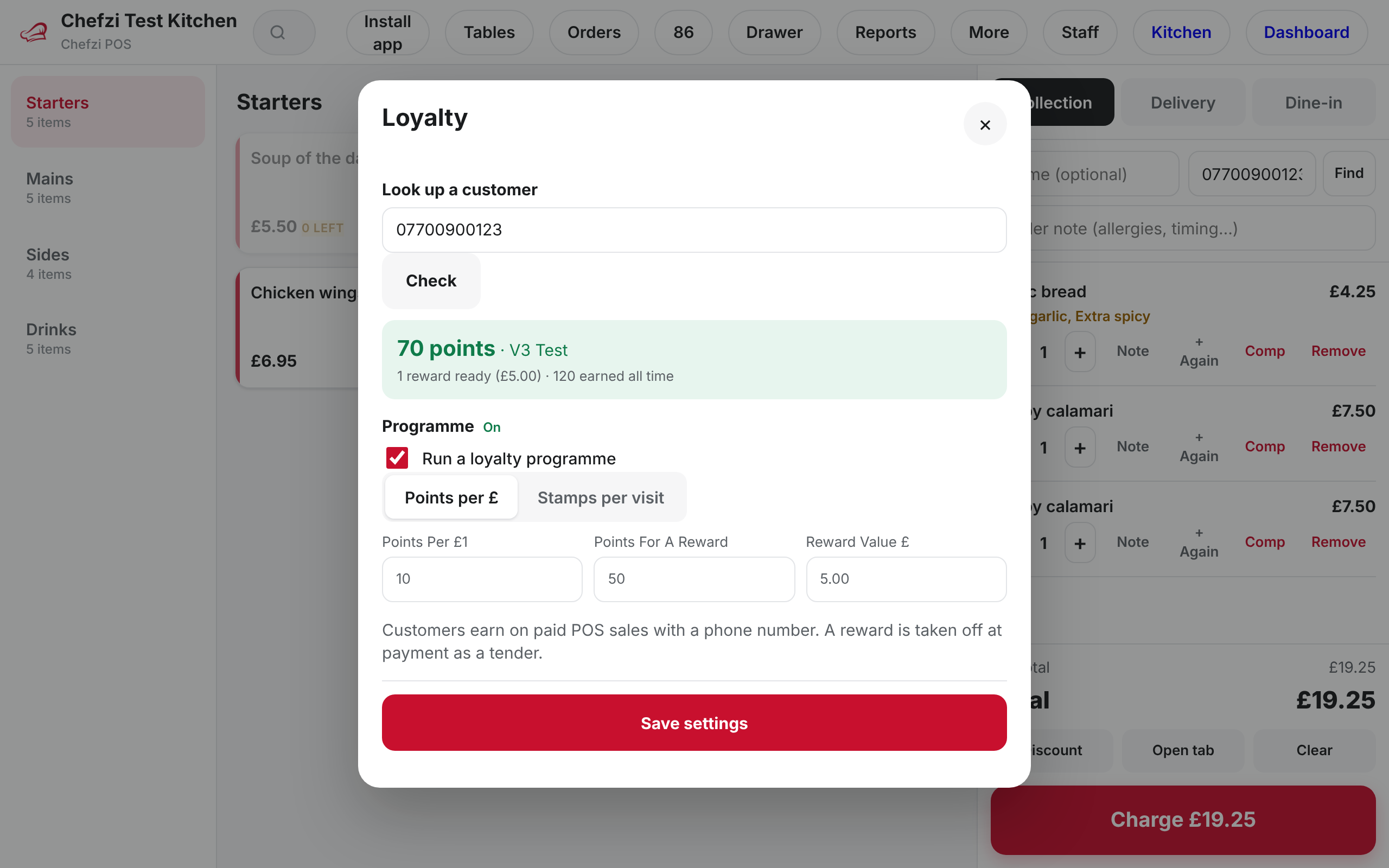
Points or stamps by phone number.
Look up a customer by phone number and add points or stamps to their order.
- Points or stamps
- Customer lookup by phone number
Gift cards
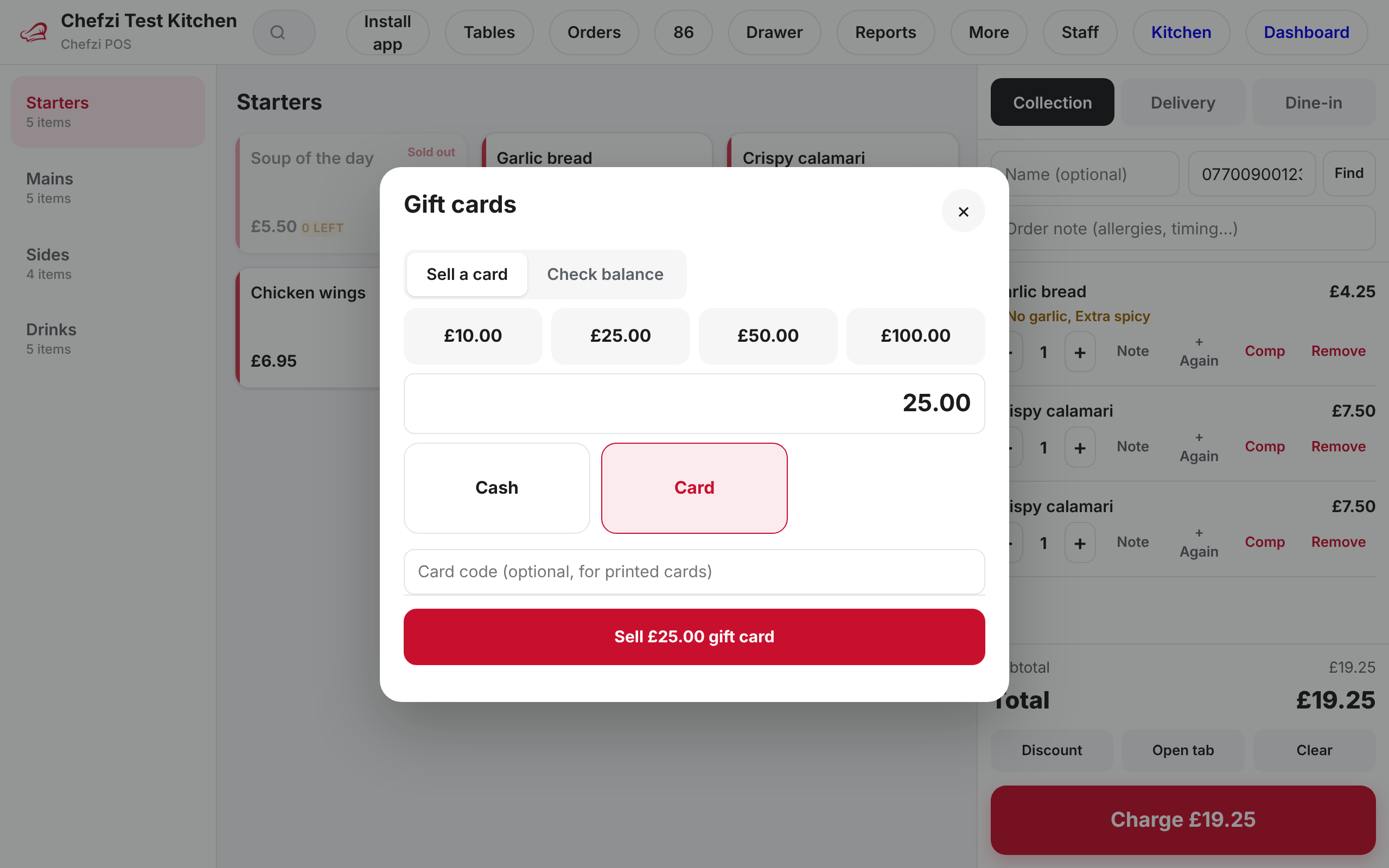
Sell, check and redeem gift cards.
Gift cards are handled on the same till.
- Sell a gift card
- Check a balance
- Redeem at payment
Kitchen screen
Kitchen display system (KDS) at app.chefzi.co.uk/kds
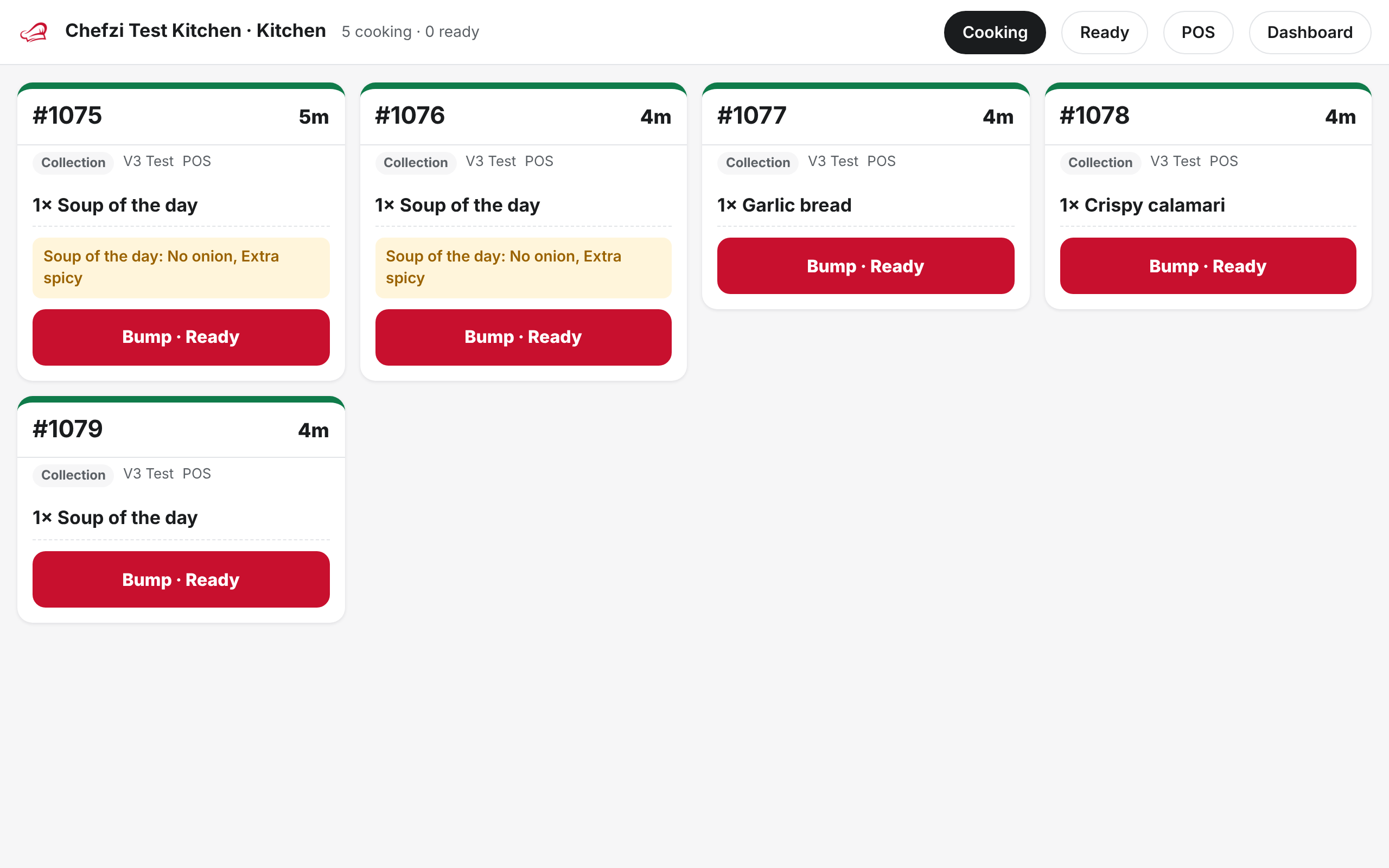
Till orders and online orders appear on the same kitchen screen. More on the Chefzi kitchen display system.
- Accept and bump
- Recall a bumped ticket
- Strike through items as they are made
- Age colours on tickets
Printing
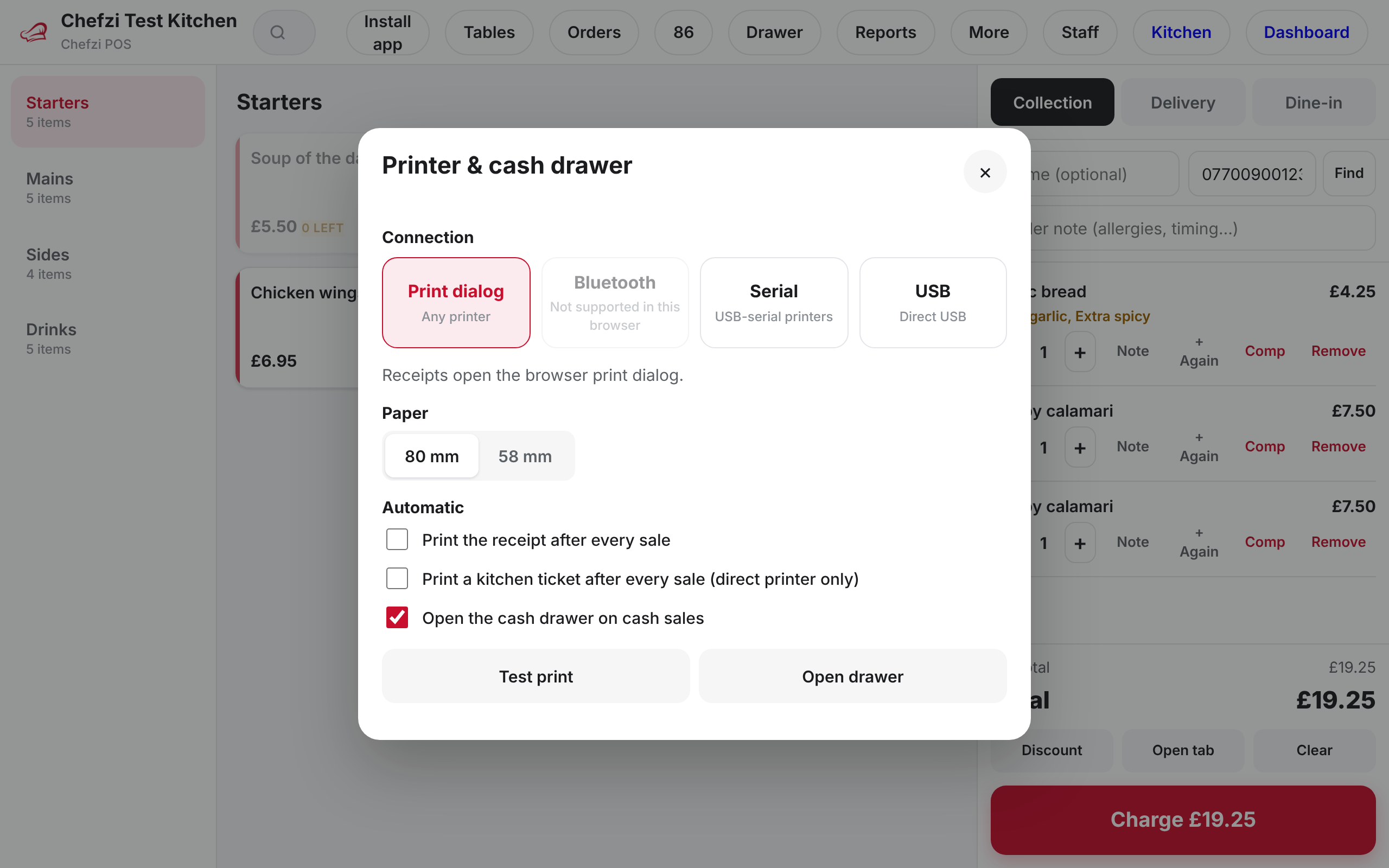
Print to ESC/POS receipt printers over Bluetooth or USB.
Chefzi POS prints from Chrome to ESC/POS printers over Bluetooth or USB, 58mm or 80mm. Run a test print first. If a direct connection is not available, it falls back to the browser print dialog.
- Bluetooth and USB ESC/POS, 58mm and 80mm
- Auto-print receipts and kitchen tickets
- Cash drawer kick
- Print-dialog fallback
An alternative to Square for Restaurants, Epos Now and Clover.
- No hardware lock-in. Use the tablets, laptops and phones you already own.
- Prints to ESC/POS receipt printers over Bluetooth or USB. Run a test print first.
- All in one with commission-free online ordering, your restaurant website and the Chefzi order-taking app.
Compare in more detail: Square for Restaurants alternative, Epos Now alternative, takeaway EPOS system and kitchen display system. Moving from GloriaFood? Read the GloriaFood migration guide.
Square, Epos Now and Clover are trademarks of their owners. Check what each product includes before you switch.
What it costs
- Chefzi plans start from £9 a month, or £19 a month with card payments. Prices exclude VAT.
- Chefzi POS is included in your Chefzi plan at no extra cost.
- Migration from your current system is free.
Questions
What is Chefzi POS?
Chefzi POS is a free built-in till for every Chefzi restaurant. It is web-based and uses your existing Chefzi menu, so there is no setup.
What devices does it run on?
Any tablet, laptop or phone with a browser. You can install it as an app (PWA) from app.chefzi.co.uk/pos, or open it from “POS (till)” in your Chefzi dashboard.
Is there a fee on till orders?
No. There is no service fee on till orders.
Do till orders go to the kitchen?
Yes. Till orders go into the same order system as your online orders: the Orders app, the kitchen screen and your printers.
Does it take card payments?
Card payments are taken on an external card terminal and recorded on the till as card. Cash, pay later, split bills, multiple payment methods on one bill and tips are also supported.
Which printers work?
Chefzi POS prints from Chrome to ESC/POS receipt printers over Bluetooth or USB, 58mm or 80mm. Run a test print first. If a direct connection is not available, it uses the browser print dialog.
What happens if the internet drops?
Orders queue on the device and sync when the connection is back.
Is it an alternative to Square for Restaurants, Epos Now or Clover?
It can be. Chefzi POS has no hardware lock-in, runs on devices you already own, and comes in one system with commission-free online ordering. Check what each product includes before you switch.
See the till on a call.
Early Black Friday & Cyber Monday Deal: 3 months free, no setup fee, free migration. Ends 1 Dec 2026.