Features
Updated 25 October 2026
A kitchen display system that shows till and online orders together
By Arslan Munir
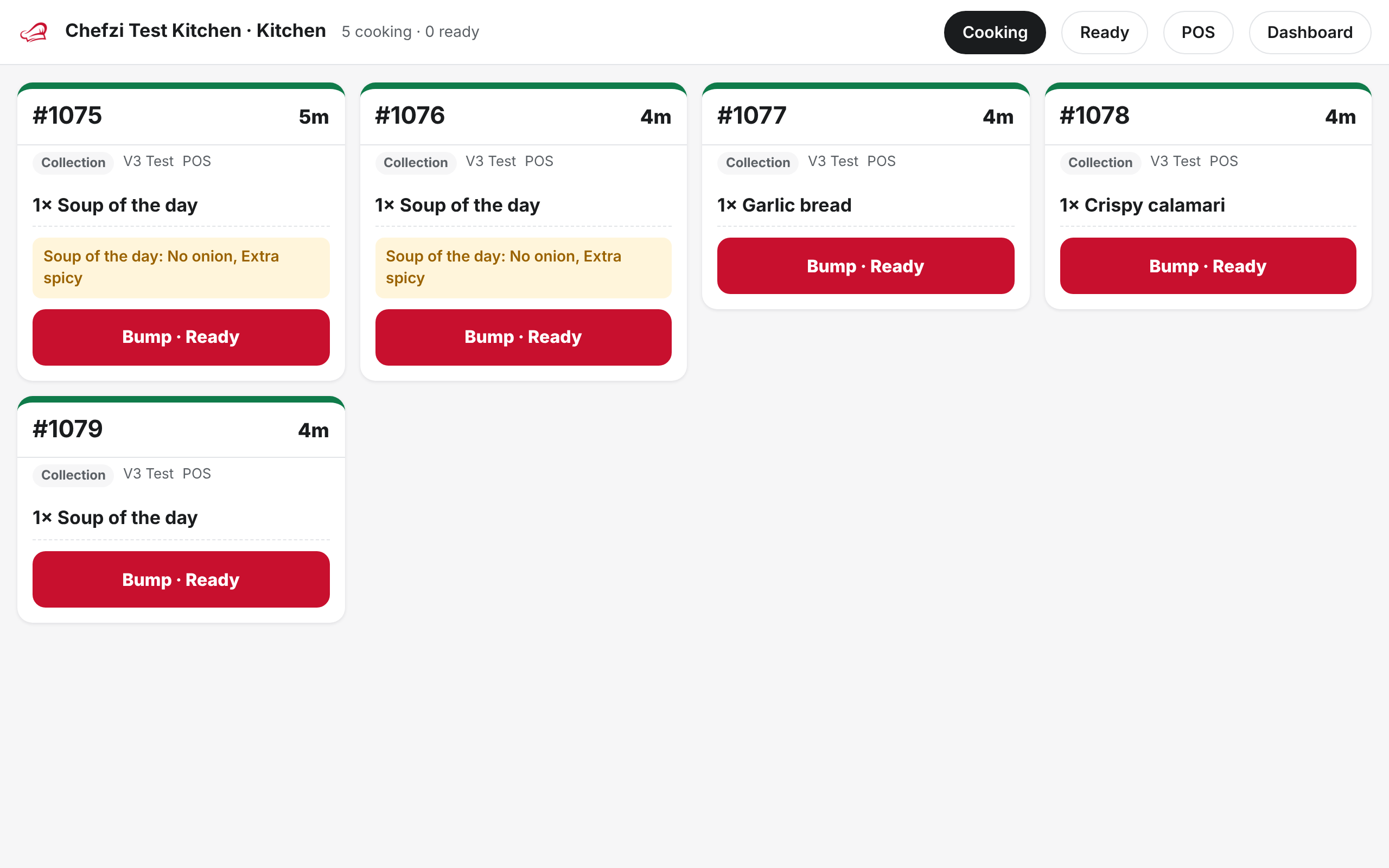
Paper tickets get lost, smudged and buried under the next one. A kitchen display system (KDS) puts every order on a screen, in order, so the kitchen can see what's waiting, what's cooking and what's ready.
Chefzi's KDS is part of Chefzi POS. It runs in the browser at app.chefzi.co.uk/kds, so you don't need to buy a dedicated kitchen screen.
What the kitchen screen does
- One queue for every channel. Till orders, online ordering and table ordering arrive on the same screen.
- Accept, ready, complete. Cooks move each ticket on with a tap, then bump it when it's done.
- Recall. A ticket bumped by mistake can be sent back to cooking.
- Strike through items as they're made, so a busy station can see what's left.
- Age colours. Tickets change colour as they wait, so the oldest order stands out.
- Courses. On dine-in tabs you can hold and fire courses 1 to 3 to the kitchen.
- Item notes. Notes such as "no onions" show on the ticket.
Hardware: use what you have
Because it's a web page, any device with a modern browser can be the kitchen display: a spare tablet on a wall bracket, a laptop, or a screen with a small computer attached. If you'd rather keep paper as a backup, Chefzi can also print kitchen tickets. It prints from Chrome to Bluetooth or USB ESC/POS receipt printers (58mm or 80mm), and falls back to the normal print dialog. Run a test print on your own printer before service.
Where the KDS fits
The KDS is one part of the till. Staff take orders on the POS, online orders come in from your website, and both go to the same kitchen. Items marked sold out on the till are sold out online too. See receipts for what gets printed.
Price
Chefzi is from £9 a month per location, or £19 a month with online card payments through Stripe (excluding VAT), with 0% commission, no setup fee and free migration. The POS is part of your Chefzi plan, with no separate POS subscription. See Chefzi pricing.
Current limits
There is no station routing yet (for example, sending drinks to one screen and food to another), so every ticket shows on every KDS screen.
Questions
What is a kitchen display system?
A kitchen display system (KDS) is a screen in the kitchen that shows orders as tickets, instead of paper. Cooks mark each ticket as it moves from new to cooking to ready.
Do I need special hardware for the Chefzi KDS?
No. It runs in a web browser at app.chefzi.co.uk/kds, so a tablet, laptop or screen you already own can be the kitchen display.
Does it show online orders as well as till orders?
Yes. Orders from the Chefzi POS and from your online ordering arrive on the same kitchen screen.
How much does it cost?
Chefzi is from £9 a month per location, or £19 a month with online card payments through Stripe (excluding VAT), with 0% commission, no setup fee and free migration. The POS is part of your Chefzi plan, with no separate POS subscription.